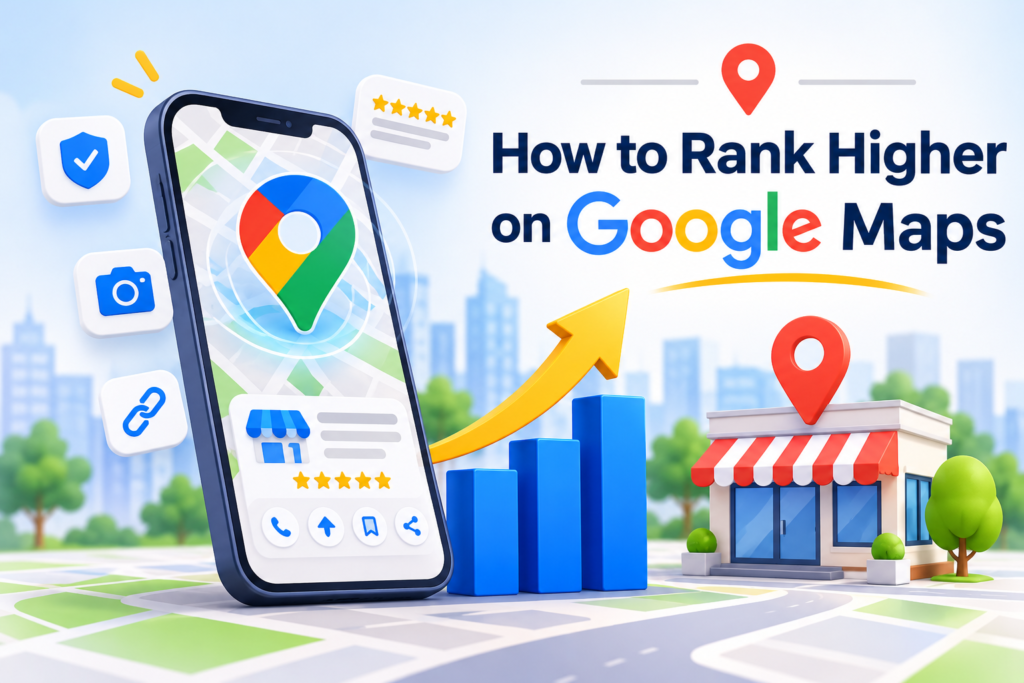
Ranking higher on Google Maps can help local businesses improve their online visibility, reach potential customers, and attract more relevant inquiries. When people search for nearby products or services, they often rely on Google Maps to discover businesses, compare options, and make informed decisions. However, appearing prominently in local search results requires more than simply creating a business listing. Google primarily considers relevance, distance, and prominence when determining local rankings. Understanding these factors is essential for developing an effective local SEO strategy. To help you improve your local visibility, let’s explore key ways to strengthen your Google Maps rankings and attract more potential customers.
Google Maps Ranking: SummaryHigher Google Maps rankings depend on relevance, distance, and prominence. Businesses can strengthen local visibility by verifying their Google Business Profile, selecting appropriate categories, maintaining accurate information, earning genuine reviews, and sharing quality photos. Local SEO, relevant backlinks, and updated business hours further support discoverability. Regular performance tracking helps measure customer interactions, identify optimization opportunities, and refine strategies. Consistent improvements can help businesses build credibility, reach nearby customers, and generate more valuable inquiries. |
How Google Maps Rankings Work
Google Maps rankings depend on several local search signals that help Google identify relevant businesses and deliver useful results to potential customers. According to Google Business Profile Help, local rankings primarily depend on relevance, distance, and prominence. These factors help Google determine which businesses best match a searcher’s needs and location.
Relevance and Search Intent
Relevance measures how closely your Google Business Profile matches a user’s search. Maintain accurate business information, appropriate categories, and detailed service descriptions to help Google understand your offerings and match your business with relevant customer searches.
Distance and Searcher Proximity
Distance refers to how far your business is from the searcher or specified location. Google estimates proximity using available location information. Maintain accurate address details so Google can correctly identify your business’s actual location for local searches.
Prominence and Business Authority
Prominence reflects how well-known your business is online and offline. Google considers signals such as reviews and website links. Earn genuine customer feedback, build relevant backlinks, and strengthen your reputation to support local visibility without expecting guaranteed rankings.
| Boost your Google Maps visibility with Think Shaw’s tailored SEO strategies to attract local customers and drive sustainable business growth. |
How to Track Your Google Maps Ranking Improvements
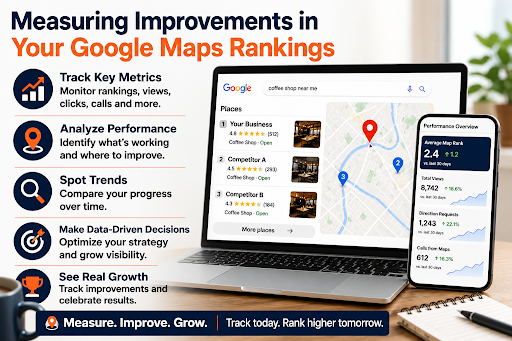
Tracking Google Maps ranking improvements helps measure the effectiveness of your local SEO efforts. Monitor key metrics such as profile views, search queries, website clicks, calls, and direction requests through Google Business Profile Performance. Use local rank-tracking tools to evaluate visibility across different locations, identify ranking patterns, and discover opportunities to refine your optimization strategy for better local search performance.
8 Practical Ways to Rank Higher on Google Maps
Improving Google Maps rankings requires a focused local SEO strategy that strengthens business relevance, online prominence, profile accuracy, and customer trust.
Claim and Verify Your Google Business Profile
Claim and verify your Google Business Profile to manage your business information across Google. Complete verification, then check your business name, address, phone number, and website to ensure accuracy and compliance with Google’s guidelines.
Choose the Most Relevant Primary Business Category
Choose the most specific primary business category that accurately reflects your core offering. Add secondary categories only for genuine additional services. Avoid unrelated categories or keyword targeting, as accurate categorization helps Google match your profile with relevant searches.
Complete Your Business Profile with Accurate Information
Complete your Business Profile with an accurate description, operating hours, contact details, services, and relevant attributes. Update holiday hours and correct outdated information promptly. Keep details consistent to help customers find essential information and make informed decisions.
Encourage Genuine Customer Reviews
Encourage satisfied customers to leave honest reviews by sharing your Google review link or QR code after genuine transactions. Build authentic feedback consistently, without buying reviews or offering incentives for positive ratings, to strengthen credibility and customer trust.
Follow Google’s Maps User-Generated Content Policy to understand the rules governing reviews and other user-submitted content. Genuine customer feedback helps build trust, while fake or incentivized reviews can violate Google’s policies.
Respond to Customer Reviews Professionally
Respond to customer reviews with personalized, professional replies that show appreciation for feedback. Acknowledge positive experiences and address negative comments calmly and constructively. Protect customer privacy, avoid repetitive responses, and build trust without expecting guaranteed ranking improvements.
Use High-Quality Photos and Videos to Showcase Your Business
Upload authentic, high-quality photos and videos showcasing your premises, products, services, and team. Use clear, current visuals that reflect your actual offerings and help potential customers understand what to expect before visiting or contacting your business.
Strengthen Your Website with Local SEO and Relevant Links
Improve local visibility with useful location-specific pages, accurate contact details, and clear service information. Maintain a logical website structure and earn relevant backlinks through local partnerships, community involvement, and industry resources to strengthen your website’s local relevance.
Maintain Accurate Business Hours and Monitor Performance
Keep regular and special business hours updated so customers know when you’re available. Monitor profile performance, including searches, website clicks, calls, and direction requests. Review trends regularly to identify improvement opportunities and refine your local SEO strategy.
Conclusion
Improving your Google Maps rankings takes consistent effort, accurate business information, and a customer-focused local SEO strategy. From optimizing your Google Business Profile to earning genuine reviews and tracking performance, every step can help strengthen your local presence. With the right approach, your business can improve its visibility and connect with more potential customers. Think Shaw helps businesses build a stronger digital presence through effective marketing strategies. Take the next step toward better local visibility and make your business easier for nearby customers to discover.
| Discuss your local SEO goals with Think Shaw and discover strategies to improve Google Maps visibility and attract nearby customers. |
Frequently Asked Questions About How to Rank Higher on Google Maps
How can I improve my chances of appearing in the top three Google Maps results?
Focus on accurate business information, relevant categories, genuine customer feedback, and local authority. Consistent optimization can improve your competitiveness for relevant searches.
How can I measure whether my Google Maps SEO strategy is successful?
Compare profile interactions, website visits, calls, direction requests, and local search visibility over time. Where possible, connect these metrics with leads and completed sales.
How can I make my business stand out from competitors on Google Maps?
Showcase your unique services, maintain an informative profile, share authentic business photos, and provide helpful customer responses to build trust and encourage engagement.
Can a small business compete with established companies on Google Maps?
Yes. Small businesses can compete by targeting relevant local searches, building genuine prominence, and providing accurate information that matches customers’ needs.
What Google Maps ranking improvements should I prioritize first?
Start by ensuring your profile is eligible, verified, and accurate. Then assess local competition, identify relevant search opportunities, and address the most significant visibility gaps.