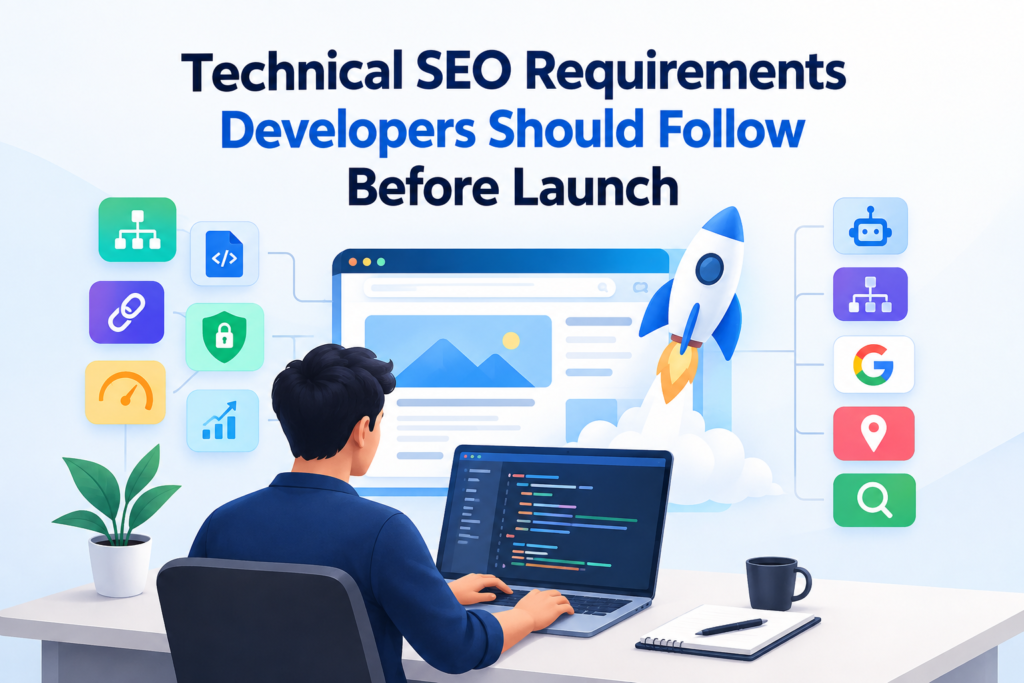
A website launch is more than a development milestone; it is the point at which search engines must be able to discover, crawl, understand, and evaluate the finished site. In 2026, developers need to consider technical SEO throughout the build process, not as a last-minute marketing task. Google’s current guidance continues to emphasize crawlability, indexability, mobile-first indexing, structured data, and page experience as important foundations for Search. A small configuration error, such as an unintended noindex directive, incorrect canonical URL, or blocked resource, can prevent otherwise valuable pages from performing as expected. This makes a thorough pre-launch technical SEO review essential for creating a website that is accessible to search engines, usable for visitors, and prepared for sustainable organic visibility.
This guide will walk you through the essential technical SEO checks developers should complete before launch.
Technical SEO Launch EssentialsA successful website launch requires crawlable architecture, accurate indexing controls, clean URLs, responsive performance, and strong Core Web Vitals. Developers should validate robots.txt, XML sitemaps, canonical tags, metadata, structured data, HTTPS, redirects, JavaScript rendering, and internal links before deployment. Location-focused websites also need consistent geographic signals and useful service-area pages. Post-launch checks through Google Search Console help identify indexing issues and confirm that critical technical elements function correctly. |
Make Your Website Crawlable, Indexable, and Search-Friendly
Configure Robots.txt and XML Sitemaps Correctly
A production file should block only URLs that genuinely should not be crawled. Keep important content and required resources accessible to Googlebot. An XML sitemap should list the site’s preferred, indexable URLs using absolute addresses. Google recommends keeping sitemaps to 50,000 URLs or 50 MB uncompressed per file.
Remove Indexing Barriers Before Launch
Staging environments often use authentication or restrictive crawling rules, but these settings must be removed or reviewed before production. Google’s technical requirements state that a page must be accessible to Googlebot, return an HTTP 200 status, and contain indexable content to qualify for indexing. Check staging domains, preview URLs, and production templates before deployment.
Control URLs, Canonicals, Redirects, and Local Pages
Use consistent URL formats and eliminate unnecessary duplicates caused by parameters, protocols, or URL variations. For local SEO, use descriptive URLs and genuinely useful city or service-area pages rather than creating near-identical location variations.
| Planning a technically sound website launch? Talk to our SEO Team to identify crawlability, indexing, URL, and technical SEO issues before they affect your search visibility. |
Optimize Website Performance, Mobile UX, and Core Web Vitals
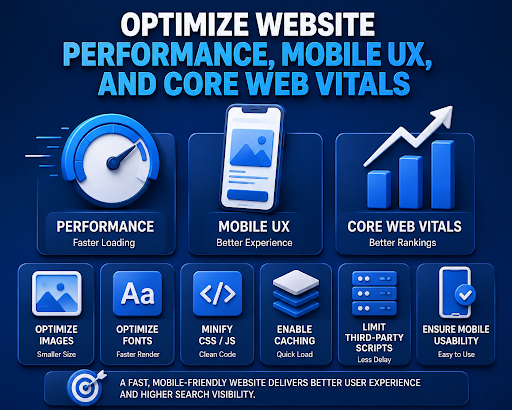
Performance should be evaluated before deployment rather than waiting for real users to identify slow experiences. Developers should test LCP, INP, and CLS, while optimizing large images, fonts, JavaScript, CSS, caching, and third-party scripts. Responsive layouts should work consistently across mobile, tablet, and desktop screens, with usable navigation, forms, buttons, and tap targets. Chrome’s current documentation continues to treat Core Web Vitals as key measures of loading, responsiveness, and visual stability, while 2026 updates also address measurement for modern single-page applications.
For local businesses, mobile performance deserves particular attention because users searching for nearby services may reach the website while travelling or using mobile connections. A technically responsive page should therefore remain functional and readable under realistic network and device conditions, not merely pass a desktop development test.
Implement Technical Signals That Help Search Engines Interpret the Site
Strengthen Metadata and Page Structure
Set a unique, descriptive title for every indexable page and use meta descriptions that accurately communicate page content. Maintain a logical heading hierarchy so users and search engines can understand content relationships. Use descriptive alt text for meaningful images and leave decorative images appropriately handled. Breadcrumbs can also clarify page hierarchy and support easier navigation across complex websites.
Add Relevant Structured Data
Implement structured data only where it accurately represents visible page content and matches Google’s supported search features. Depending on the page, developers may use types such as Organization, LocalBusiness, Product, Article, or BreadcrumbList. Validate JSON-LD before deployment and check for syntax or eligibility issues. Google states that structured data can make pages eligible for rich results but does not guarantee enhanced search appearances.
Strengthen Geographic Relevance
For businesses serving defined locations, technical architecture should clearly connect services with legitimate geographic areas. Use descriptive location URLs, internally link relevant service and location pages, and maintain consistent business details across key pages. Avoid mass-producing near-identical city pages with minimal local value. Google’s guidance emphasizes creating helpful, people-first content rather than pages designed primarily to manipulate search rankings.
Secure, Test, and Validate the Website Before Going Live
A pre-launch technical audit should verify that development decisions have translated correctly into the production environment. Security, rendering, redirects, status codes, internal links, and indexing controls should be tested systematically. Comparing staging and production can expose deployment errors before they affect organic visibility. A final crawl also provides developers with an objective view of how search engines encounter the live website.
Verify Security and URL Transitions
Enable HTTPS across the entire website and confirm that HTTP requests redirect correctly to their secure equivalents. During migrations, map changed URLs to their most relevant new destinations using permanent redirects where appropriate. Avoid redirect chains and irrelevant homepage redirects. Google recommends updating internal links, canonical signals, and sitemaps alongside URL changes to help search engines process site migrations accurately.
Test Rendering, Links, and User Journeys
Crawl the website to identify broken links, unexpected 4xx or 5xx responses, redirect chains, and inaccessible resources. JavaScript-dependent websites require additional rendering checks to ensure important content and links are available to search engines. Developers should also test navigation, forms, search, checkout or enquiry processes, and interactive elements across representative browsers and mobile devices before approving the release.
Validate the Live Environment
After deployment, inspect representative URLs using Google Search Console and confirm that canonicalization, indexing, structured data, robots directives, and sitemap access function as intended. Submit the production sitemap and monitor indexing for unexpected exclusions or errors. Google’s URL Inspection tool can provide information about a specific URL’s indexing status and selected canonical, making it useful for post-launch verification.
Conclusion
A strong website launch starts with more than clean code and an attractive interface. When crawlability, indexing, Core Web Vitals, structured data, HTTPS, redirects, and local search signals are addressed before deployment, businesses can avoid technical issues that may limit visibility later. At Think Shaw, we help businesses build a stronger search foundation by combining technical SEO knowledge with practical, results-focused strategies. If your website is approaching launch, our team can review its technical setup, identify potential SEO barriers, and help ensure it is ready to perform in search from day one.
| Get in touch with Think Shaw to make sure your site is technically ready for search, users, and long-term growth. |
Frequently Asked Questions About Technical SEO Requirements
When should developers start technical SEO?
Technical SEO should begin during planning and development, allowing developers to address architectural issues before they become expensive or disruptive after launch.
How long does Google take to index a new website?
There is no fixed timeframe. Google explains that crawling and indexing depend on multiple factors, and newly launched websites may require additional time.
What is crawl budget, and when does it matter?
Crawl budget refers to the resources Google allocates to crawling a website. It becomes particularly relevant for very large websites with frequently changing pages.
Do 301 redirects pass SEO value to new URLs?
Yes. Google states that permanent redirects, including 301 redirects, do not cause a loss of PageRank, making them appropriate for permanently moved pages.
How can developers monitor SEO after a website launch?
Google Search Console provides reports for indexing, crawling, search performance, security issues, and Core Web Vitals, making it useful for ongoing technical monitoring.