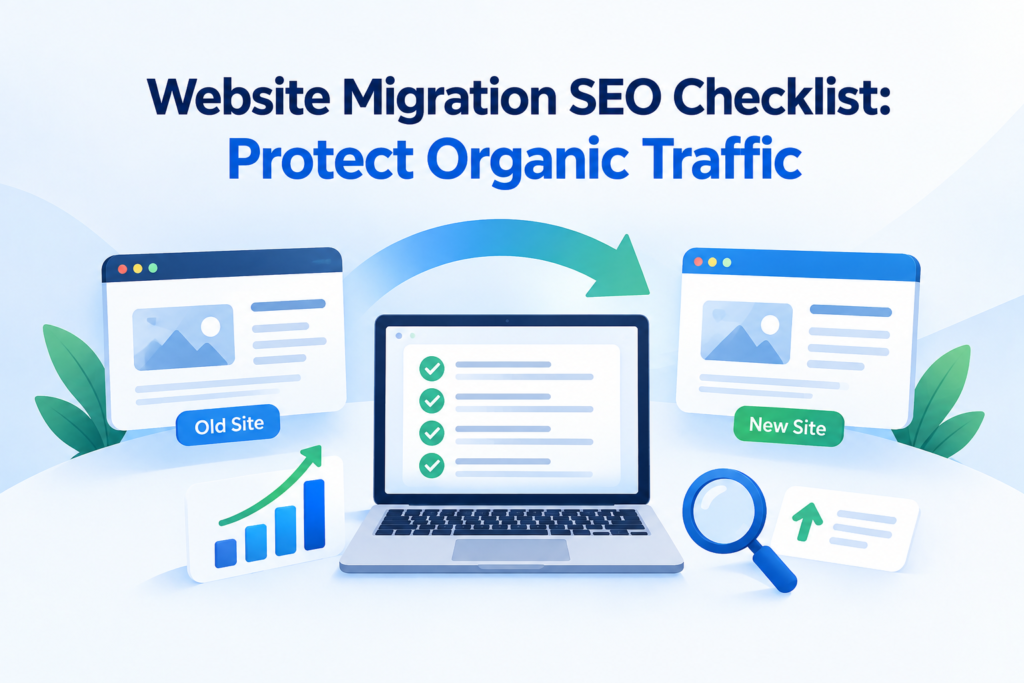
A website migration can improve performance, structure, and user experience, but changing domains, URLs, platforms, or site architecture can also disrupt organic visibility if you don’t handle SEO signals correctly. Google recommends preparing and testing the new site, mapping old URLs to their corresponding destinations, implementing permanent redirects, and monitoring both versions throughout the transition. Even when the migration is technically successful, temporary ranking fluctuations can occur as Google recrawls and reindexes pages. For businesses competing in local search, protecting location pages, internal links, and established organic signals matters just as much.
This website migration SEO checklist explains the key steps to plan, test, launch, and monitor a migration while minimizing avoidable traffic losses.
Migration SEO OverviewA successful website migration requires careful planning to protect organic visibility, rankings, traffic, backlinks, and search equity. Key priorities include auditing existing URLs and performance, mapping old URLs to relevant new destinations, preserving site architecture and local signals, implementing accurate redirects, and validating indexation after launch. Ongoing monitoring of crawl errors, rankings, traffic, conversions, backlinks, and internal links helps identify problems quickly and stabilize organic performance throughout the transition. |
Pre-Migration Audit: Planning Your Information Architecture & URL Strategy
Audit Existing URLs, Organic Performance, and Search Visibility
Before changing the website, establish exactly what currently earns visibility and value. Crawl the site to build a complete URL inventory, then cross-check those URLs against Google Search Console, analytics, backlink data, rankings, indexation, canonicals, metadata, internal links, and XML sitemaps. Search Console can identify pages receiving clicks and impressions, while query-level data reveals the searches generating visibility. Pay particular attention to high-performing service, product, and location pages, documenting their traffic, conversions, backlinks, rankings, and other measurable SEO signals as the migration baseline.
Map Old URLs to Their New Destinations
A detailed URL mapping document should connect every important legacy URL with its most relevant destination on the new site. Google specifically recommends preparing this mapping before implementing redirects during a URL-changing migration. Match destinations by topical relevance, content coverage, and search intent rather than redirecting large groups to the homepage. Pages that have equivalent replacements should receive direct permanent redirects; genuinely obsolete content may require retirement instead. Avoid redirect chains by pointing each old URL directly to its final destination, preferably using server-side 301 or 308 redirects.
Preserve Information Architecture and Local Search Signals
Protecting established site structure helps retain accumulated search value during migration. Keep high-value category, service, product, and location pathways where they continue serving user intent, while preserving logical internal links between related pages. The U.S. Census Bureau reports that 80% of the U.S. population lives in urban areas, highlighting the importance of geographically relevant content for location-based businesses. Maintain accurate business information across location pages and directories to strengthen local discoverability.
| Start by reviewing your existing URLs, traffic, and search visibility so you know exactly what needs to be carried forward. |
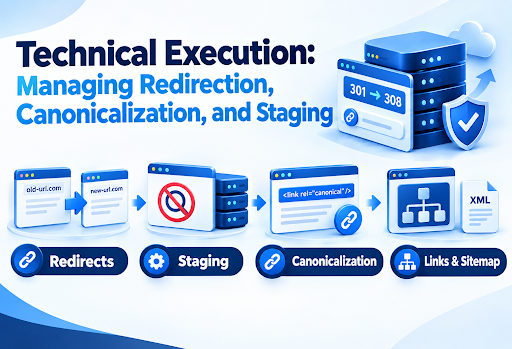
Technical Execution: Managing Redirection, Canonicalization, and Staging
Technical execution determines whether the SEO signals planned before migration transfer correctly to the new site. Use server-side permanent redirects to connect retired URLs with their most relevant replacements, avoiding unnecessary redirect chains. During staging, prevent test environments from appearing in search while ensuring those restrictions are removed before launch. Review canonical URL signals, internal links, XML sitemaps, and indexability together so they consistently reference the intended live URLs. Google notes that permanent redirects such as 301 and 308 do not cause PageRank loss, making accurate implementation especially important during migration.
Post-Launch Validation: Monitoring Indexation, Traffic, and Crawl Errors
Verify Indexation and Search Engine Accessibility
Immediately after launch, confirm that search engines can discover and access the migrated URLs rather than assuming successful deployment means successful indexing. Verify the new property in Search Console, submit the XML sitemap, and inspect high-value pages individually. Sitemaps can contain up to 50,000 URLs or 50 MB uncompressed per file, while larger sites require multiple files. Compare indexed old and new URLs, checking that priority pages return HTTP 200 responses and remain crawlable.
Monitor Organic Traffic, Rankings, and User Behavior
Performance should be assessed against the pre-migration baseline, not a single day of post-launch data. Compare organic sessions, clicks, impressions, conversions, landing-page performance, and keyword positions, segmenting results by device, geography, and page type where meaningful. Search visibility can fluctuate while migrated URLs are recrawled and reprocessed; Google notes that medium-sized sites may takhen interpreting traffic movements.e a few weeks or more to transition substantially. Also account for seasonality and search-demand changes w
Find and Fix Crawl, Redirect, and Indexing Errors
Technical errors require rapid investigation because incorrect redirects or crawling restrictions can prevent valuable URLs from reaching search engines. Check server logs and crawl reports for 404, soft-404, 5xx, redirect-chain, and redirect-loop patterns, then test affected URLs individually. Review robots.txt and noindex directives to ensure launch-stage restrictions were removed; robots.txt can block crawling, while noindex controls indexing when the page remains crawlable. Server capacity also deserves attention because migration-related crawling can temporarily increase demand.
Post-Migration Optimization: Reclaiming Backlinks and Stabilizing Authority
The following table provides a concise post-migration checklist focused on what needs attention, where to act, and what to measure.
| Area | Key Actions | What to Monitor |
| Reclaim Valuable External Links | Identify high-value backlinks to old URLs; prioritize links from authoritative, relevant referring domains and those generating referral traffic. Request destination updates from site owners and update controlled properties such as social profiles, directories, and business listings. | Links to legacy URLs, referral traffic, high-value referring domains, redirect resolution |
| Strengthen Internal Linking & New URL Signals | Replace outdated internal URLs across navigation, breadcrumbs, contextual links, related content, and footers. Ensure priority pages have clear internal pathways and that new URLs are used consistently throughout the site. | Broken links, redirected internal links, orphaned pages, sitemap/internal URL consistency |
| Measure Recovery & Stabilize Performance | Compare post-migration data with the pre-migration baseline. Segment losses and gains by URL, query, page type, device, and location. Investigate persistent declines rather than attributing every fluctuation to normal migration volatility. | Organic clicks, impressions, rankings, conversions, indexation, crawl errors, 404s |
For a broader view of how structured internal linking supports SEO, you can also link to Think Shaw’s internal linking and SEO resources, creating a natural pathway into the implementation framework below.
Conclusion
A successful website migration is not simply about launching a redesigned site; it is about protecting the organic visibility your business has already earned while creating a stronger foundation for future growth. From URL mapping and redirects to indexation, backlinks, internal linking, and performance monitoring, every SEO signal needs to move with the new site. With a structured migration strategy, Think Shaw helps businesses turn complex website changes into controlled SEO transitions, minimizing avoidable traffic losses while preserving valuable search equity and supporting sustainable organic growth.
| Planning a website migration? Let Think Shaw help you protect your rankings, traffic, and search visibility with a strategic, SEO-focused migration plan. |
Frequently Asked Questions About Migration SEO
Should SEO be considered before redesigning a website?
Absolutely. SEO requirements should influence the redesign from the beginning, particularly content structure, page hierarchy, templates, navigation, performance, and technical implementation.
How can I migrate a website without losing SEO?
Keep valuable content accessible, preserve important URLs where possible, maintain equivalent page relevance, test technical changes before launch, and monitor search performance closely after deployment.
Should I change website design and URLs simultaneously?
It is generally safer to minimize simultaneous major changes. Separating significant redesign, content, domain, and structural modifications makes SEO issues easier to isolate and troubleshoot.
How do I know if a website migration was successful?
Evaluate organic visibility alongside business outcomes, including qualified traffic, conversions, indexed pages, rankings, crawl health, engagement, and revenue compared with appropriate historical benchmarks.
What happens to backlinks when a website changes?
Backlinks can continue contributing through properly redirected destinations, but updating important external links to point directly toward the new URLs provides a cleaner long-term setup.